RW61x Bootable Image#
Let’s prepare the environment#
%run ../../init_notebook.ipynb

import pprint

pp = pprint.PrettyPrinter(indent=4)

WORKSPACE = "workspace/"  # change this to path to your workspace
INPUTS = "inputs/"

# choose debug interface
INTERFACE = "pyocd"
# choose family
FAMILY = "rw61x"
env: JUPYTER_SPSDK=1
Created `%!` as an alias for `%execute`.
Device preparation#
Now it’s time to prepare the device. In this example we will use FRDM-RW612 board.
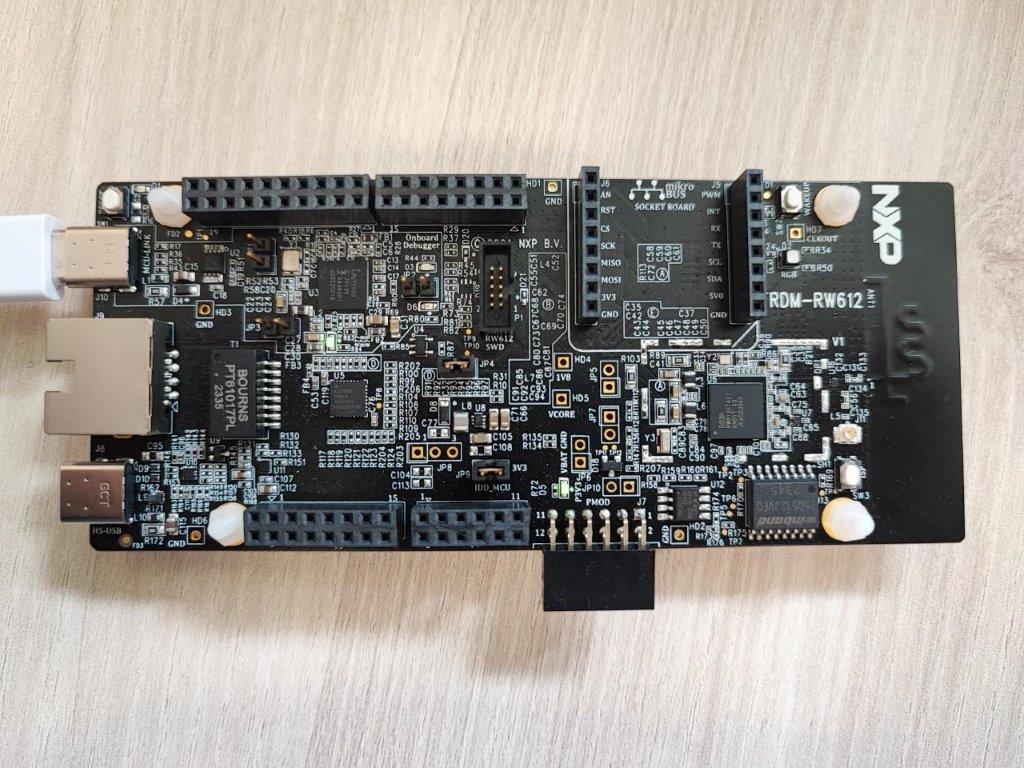
Prepare devicw and use app nxpdevscan to check if the device is connected to the PC in ISP mode.
# check if the device is connected and detected by PC
%! nxpdevscan
nxpdevscan
-------- Connected NXP USB Devices --------

-------- Connected NXP UART Devices --------

Port: COM13
Type: mboot device

-------- Connected NXP SIO Devices --------
# determine the interface connection based on the result from nxpdevscan
UART = "-p COM13"
# check if the board responds in ISP mode
%! blhost $UART get-property 1
blhost -p COM13 get-property 1
Response status = 0 (0x0) Success.
Response word 1 = 1258488064 (0x4b030100)
Current Version = K3.1.0
MBI generation#
%! nxpimage mbi get-templates -f $FAMILY -o workspace/configs/ --force
nxpimage mbi get-templates -f rw61x -o workspace/configs/ --force
Creating C:\repos\spsdk_master_2.0\examples\rw61x\bootable_image\workspace\configs\rw61x_xip_plain.yaml template file.
Creating C:\repos\spsdk_master_2.0\examples\rw61x\bootable_image\workspace\configs\rw61x_xip_crc.yaml template file.
Creating C:\repos\spsdk_master_2.0\examples\rw61x\bootable_image\workspace\configs\rw61x_xip_signed.yaml template file.
Creating C:\repos\spsdk_master_2.0\examples\rw61x\bootable_image\workspace\configs\rw61x_load_to_ram_plain.yaml template file.
Creating C:\repos\spsdk_master_2.0\examples\rw61x\bootable_image\workspace\configs\rw61x_load_to_ram_crc.yaml template file.
Creating C:\repos\spsdk_master_2.0\examples\rw61x\bootable_image\workspace\configs\rw61x_load_to_ram_signed.yaml template file.
# Modify the mbi config yaml file accordingly and saved it. It will be exported to binary file.
%! nxpimage mbi export -c inputs/rw61x_xip_plain.yaml
nxpimage mbi export -c inputs/rw61x_xip_plain.yaml
Success. (Master Boot Image: workspace\outputs\mbi.bin created.)
MERGE BOOTABLE IMAGE#
# Get templates for bootable image
%! nxpimage bootable-image get-templates -f $FAMILY -o workspace/configs/ --force
nxpimage bootable-image get-templates -f rw61x -o workspace/configs/ --force
Creating C:\repos\spsdk_master_2.0\examples\rw61x\bootable_image\workspace\configs\bootimg_rw61x_internal.yaml template file.
Creating C:\repos\spsdk_master_2.0\examples\rw61x\bootable_image\workspace\configs\bootimg_rw61x_flexspi_nor.yaml template file.
# Modified the bootimg_rw61x_flexspi_nor.yaml file and referenced the FCB binary/FCB yaml config and the MBI to create the bootable image
%! nxpimage bootable-image merge -c inputs/bootimg_rw61x_flexspi_nor.yaml -o workspace/outputs/bootable_image.bin
nxpimage bootable-image merge -c inputs/bootimg_rw61x_flexspi_nor.yaml -o workspace/outputs/bootable_image.bin
Success. (Bootable Image: workspace\outputs\bootable_image.bin created)
Running image#
# Memory configuration
%! nxpmemcfg parse --family rw61x --force --peripheral flexspi_nor --option-word 0xC0000008 --output workspace/outputs/mem_cfg.yaml
%! nxpmemcfg blhost-script --force --config workspace/outputs/mem_cfg.yaml --output workspace/outputs/script.txt --fcb inputs/fcb.bin
%! blhost $UART batch workspace/outputs/script.txt

# Erase memory
%! blhost $UART flash-erase-region 0x08000000 0x10000
# Write
%! blhost $UART write-memory 0x08000000 workspace/outputs/bootable_image.bin

# Write the shadow registers and reset
%! shadowregs -i $INTERFACE -f $FAMILY loadconfig -c inputs/shadow.yaml
%! shadowregs -i $INTERFACE -f $FAMILY reset
nxpmemcfg parse --family rw61x --force --peripheral flexspi_nor --option-word 0xC0000008 --output workspace/outputs/mem_cfg.yaml
Parsed option words has been stored: C:\repos\spsdk_master_2.0\examples\rw61x\bootable_image\workspace\outputs\mem_cfg.yaml
nxpmemcfg blhost-script --force --config workspace/outputs/mem_cfg.yaml --output workspace/outputs/script.txt --fcb inputs/fcb.bin
WARNING:spsdk.memcfg.memcfg:FCB block read back script has been generated. Be aware that s 4KB block at base address will be erased to avoid cumulative write! (986ms since start, memcfg.py:391)
Exported blhost script.
blhost -p COM13 batch workspace/outputs/script.txt
Response status = 0 (0x0) Success.
Response status = 0 (0x0) Success.
Response status = 0 (0x0) Success.
Response status = 0 (0x0) Success.
Response status = 0 (0x0) Success.
Reading memory
Response status = 0 (0x0) Success.
Response word 1 = 512 (0x200)
Read 512 of 512 bytes.
blhost -p COM13 flash-erase-region 0x08000000 0x10000
Response status = 0 (0x0) Success.
blhost -p COM13 write-memory 0x08000000 workspace/outputs/bootable_image.bin
Writing memory
Response status = 0 (0x0) Success.
Response word 1 = 32352 (0x7e60)
shadowregs -i pyocd -f rw61x loadconfig -c inputs/shadow.yaml
  #   Interface   Id           Description
-------------------------------------------------------
  0   PyOCD       1069486602   Segger J-Link MCU-Link
WARNING:spsdk.apps.shadowregs:Verification is not possible on the rw61x, it won't be performed. (8687ms since start, shadowregs.py:213)
The Shadow registers has been loaded by configuration in C:\repos\spsdk_master_2.0\examples\rw61x\bootable_image\inputs\shadow.yaml YAML file
shadowregs -i pyocd -f rw61x reset
  #   Interface   Id           Description
-------------------------------------------------------
  0   PyOCD       1069486602   Segger J-Link MCU-Link
The target has been reset.
Final result#
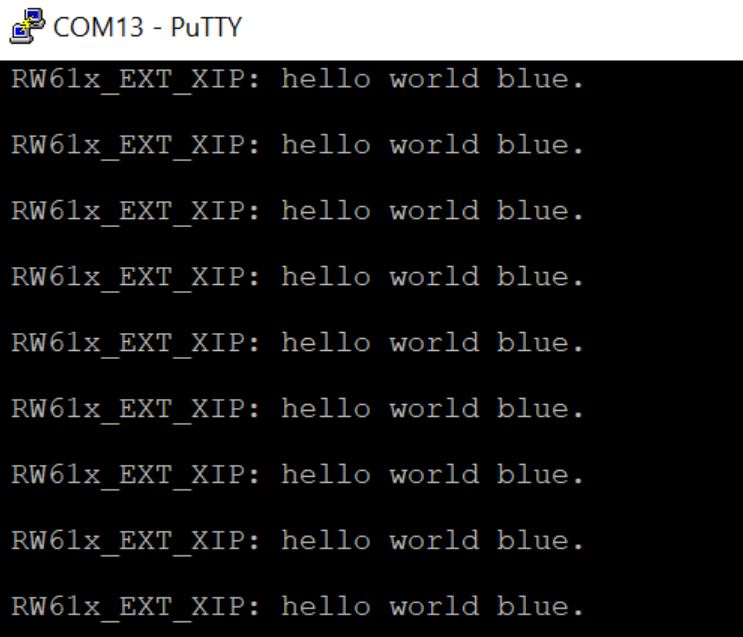
Right now you should see in the terminal: